Product Redesign


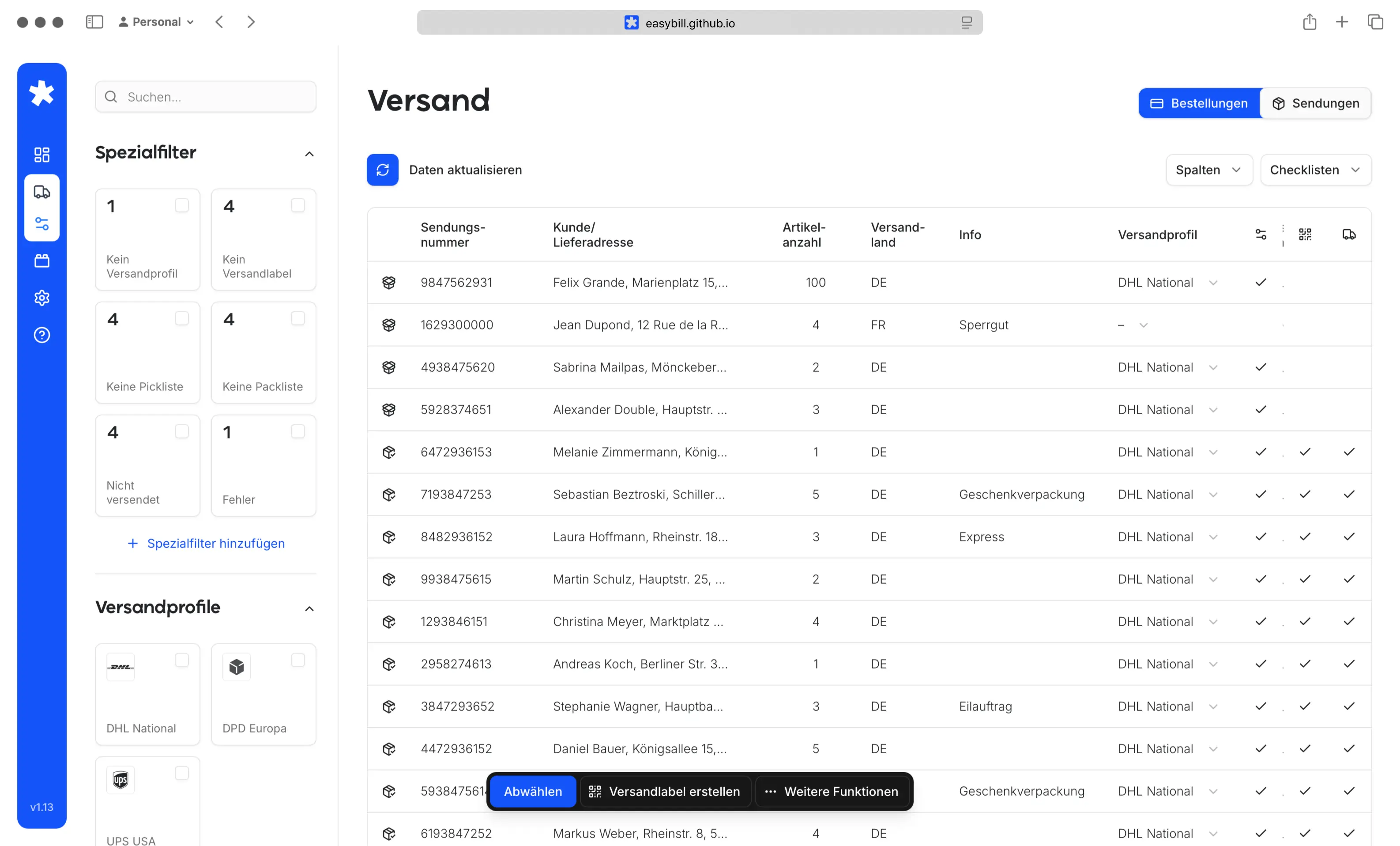
Improving usability and user experience of a cloud-based invoicing platform. Focus on identifying UX weaknesses and optimizing key workflows to increase efficiency, clarity, and overall user guidance.
Concept and development of a React-based testing environment to validate new user flows and features with different user groups and support informed product decisions.
Key Product Features
Focus on Usability & User Experience
Flexible Interface Control
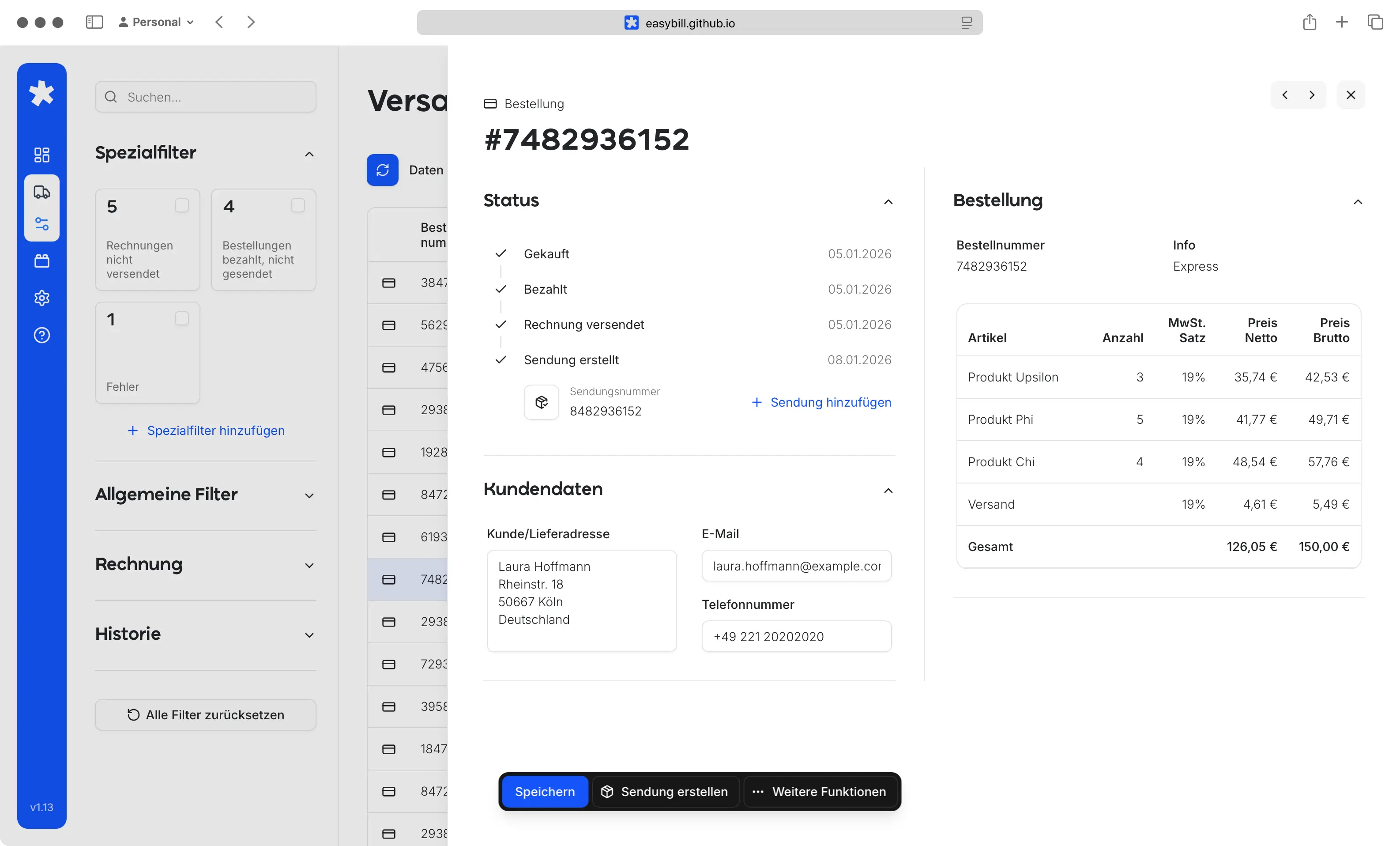
The interface adapts to individual workflows through fully customizable views. Users can sort content, show or hide columns, and structure information using expandable accordion sections, creating a workspace that fits their exact needs.
Built for Large Data Handling
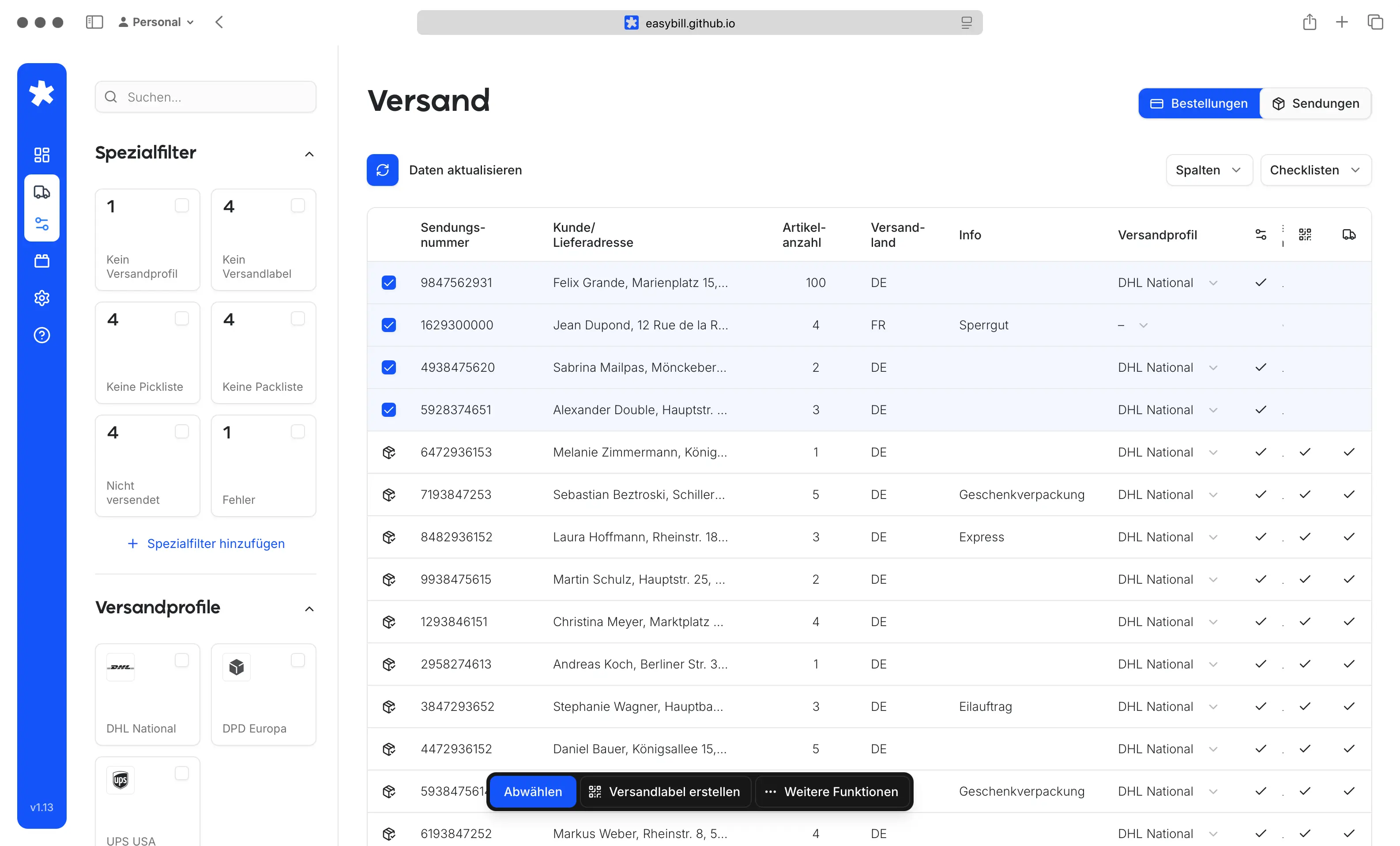
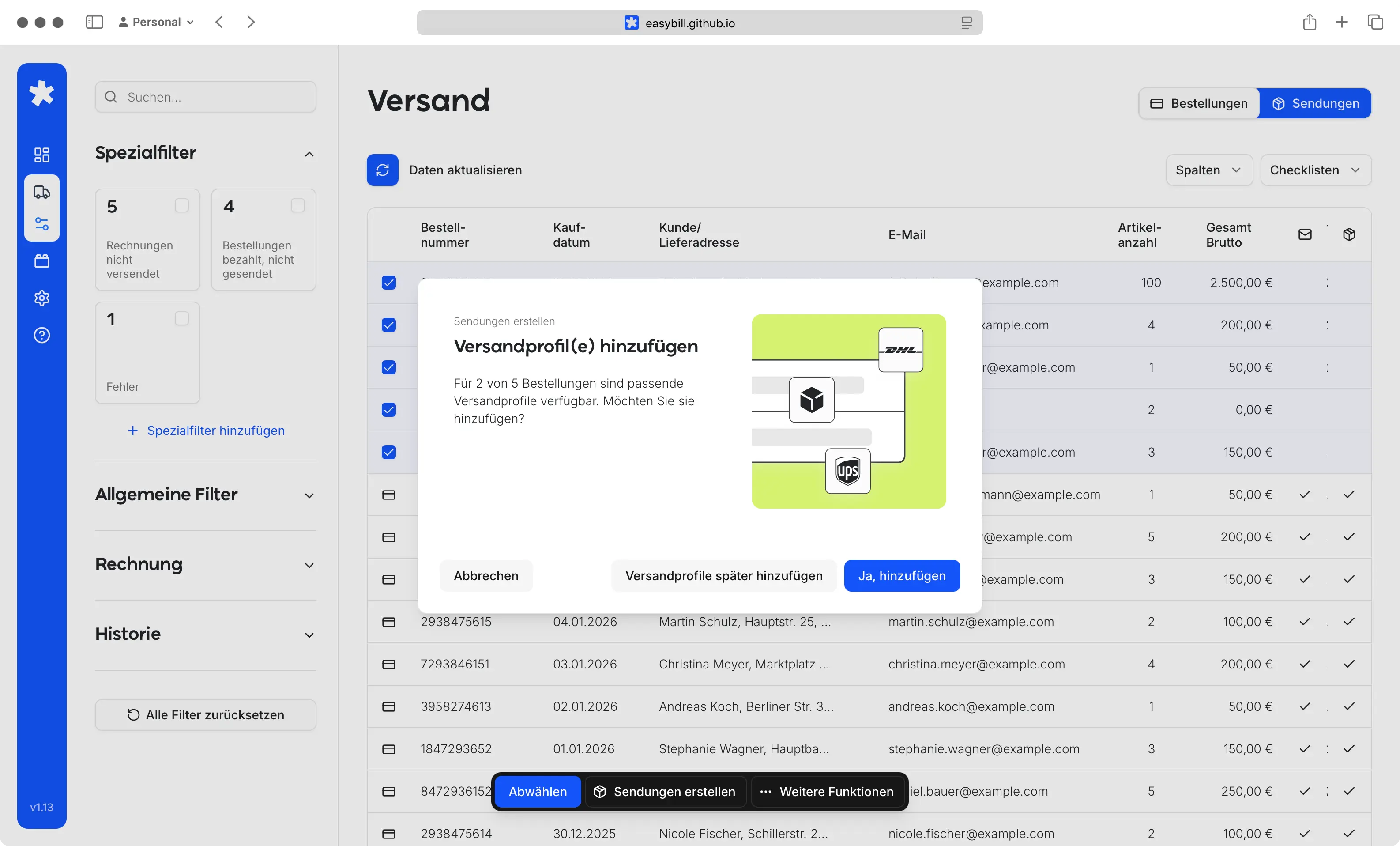
Designed to remain efficient even with extensive datasets, the system supports multi-selection and bulk interactions. Complex data can be managed smoothly without slowing down workflows or overwhelming the user.
Advanced Search & Filtering
Powerful search and filtering capabilities make it easy to find exactly what’s needed within seconds. Users can narrow down large volumes of information with precision, reducing manual effort and improving accuracy.
Speed-Optimized Interaction
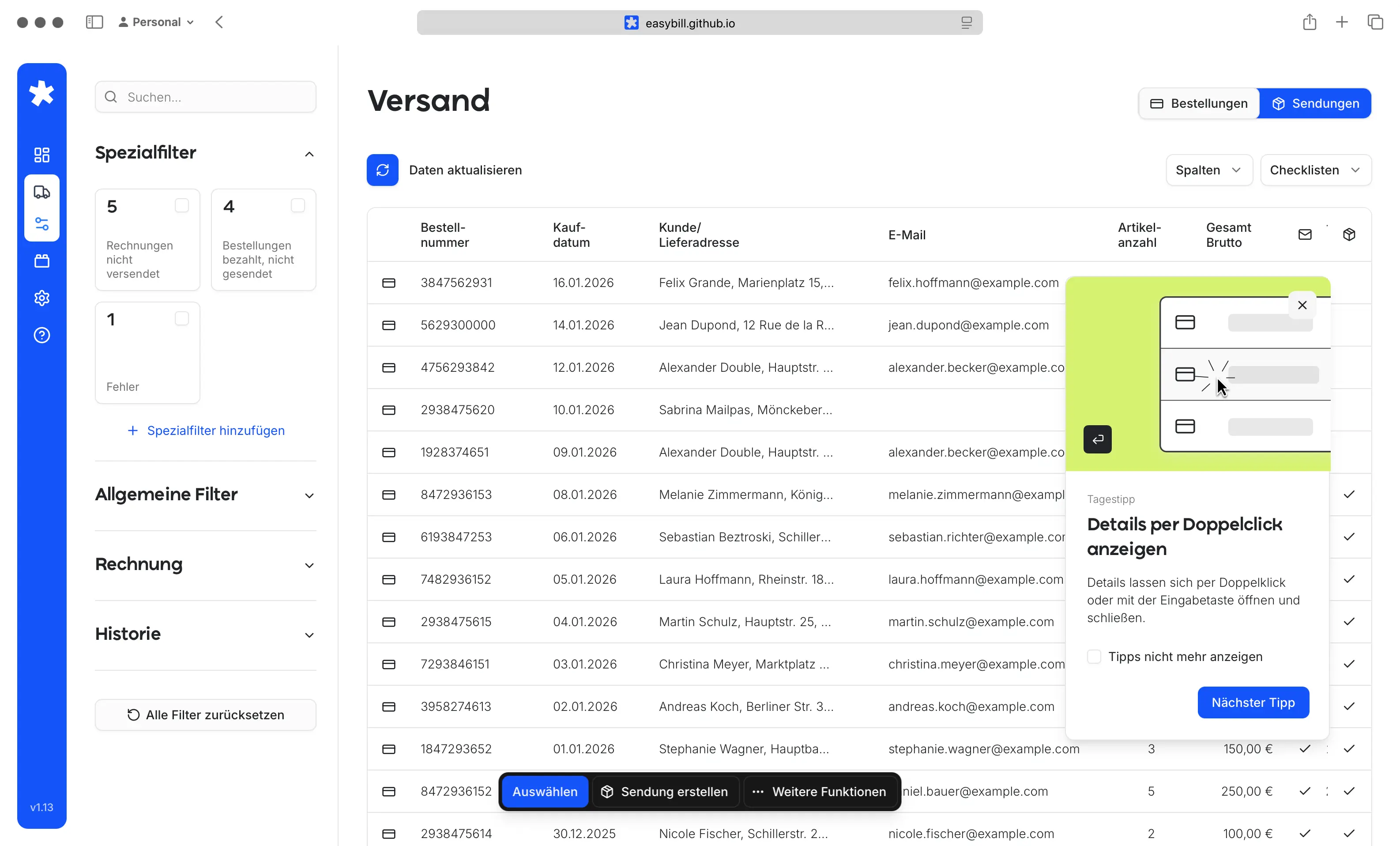
The experience is designed for maximum efficiency and comfort. All key functions are accessible via keyboard shortcuts and arrow navigation, enabling fast, uninterrupted workflows with minimal reliance on mouse input.
Smart Assistance & Automation
ntegrated assistants guide users through recurring or complex tasks. Automation reduces repetitive manual work, increases consistency, and helps users complete processes faster and with fewer errors.
Centralized Action Bar
A clear and persistent action bar provides direct access to all essential functions. Users can see available actions at a glance, ensuring clarity, reducing friction, and supporting confident decision-making.
Centralized Action Bar
A clear and persistent action bar provides direct access to all essential functions. Users can see available actions at a glance, ensuring clarity, reducing friction, and supporting confident decision-making.